
DEP – Cohort 3
The DAO Workbook
The Kambria DAOs Framework handles a DAO's money on-chain. The DAO Workbook handles everything around it — off-chain, in one spreadsheet. Where the framework is the source of truth for value received and paid, the Workbook is where a DAO plans its work, tracks who did what, keeps its books, and runs its recognition. One file for the Circles DAO, for the whole cohort.
This is the second half of Operations Excellence. These pages explain what the Workbook is and how to use it, tab by tab.
Overview: One Workbook per DAO
In earlier cohorts a DAO kept its records across many separate files — a roster here, a cashbook there, a payment tracker, a weekly report, a recognition sheet. Things drifted out of sync, and a number in one file rarely matched the same number in another. DEP 3 replaces all of that with one Workbook for the DAO: every tab lives in the same file and they join up through two shared keys.
Start from the Index tab — it lists every tab in the file with a one-line purpose and a link, so you can jump straight to the one you need.
Two keys hold it together:
- person_id — one id per human, issued by the Hub, used everywhere a person appears.
- task_id — one id per paid task, used to tie a contribution to its payment and its cash line.
A few principles make the Workbook trustworthy, and they're worth knowing before you touch it:
- Do not create person_id yourself: The Hub issues person_id. If someone is missing from the Roster, ask Kambria Ops rather than adding a new row manually.
- Use one Cashbook: The Cashbook tab is the only ledger. There is no separate cashbook file; if someone sends you one, it's out of date.
- Contribution is not payment: Every contribution is recorded, including unpaid work. Payment is a separate thing that only some contributions carry.
- Add rules as records — do not change formulas: Items such as events, credit rules, should be added by adding a new row using the intended input fields rather than changing the formulas that make the Workbook work.
- The Hub reads from the Workbook — not the other way around: Scripts (maintained by Kambria team) read the Workbook and append to the Hub; nothing writes back into your file. Your Workbook is yours.
The colour key runs through every tab:
| Colour | Meaning |
|---|---|
| Blue text | You enter or edit this information. |
| Black text | Calculated by a formula — do not overwrite it. |
| Green text | Pulled from another tab or the Hub — don't edit it. |
| Yellow fill | Information is missing or needs attention. |
If a number looks wrong, fix the blue cell it depends on — never the black one. A black cell typed over is the commonest way a tracking sheet goes quietly wrong.
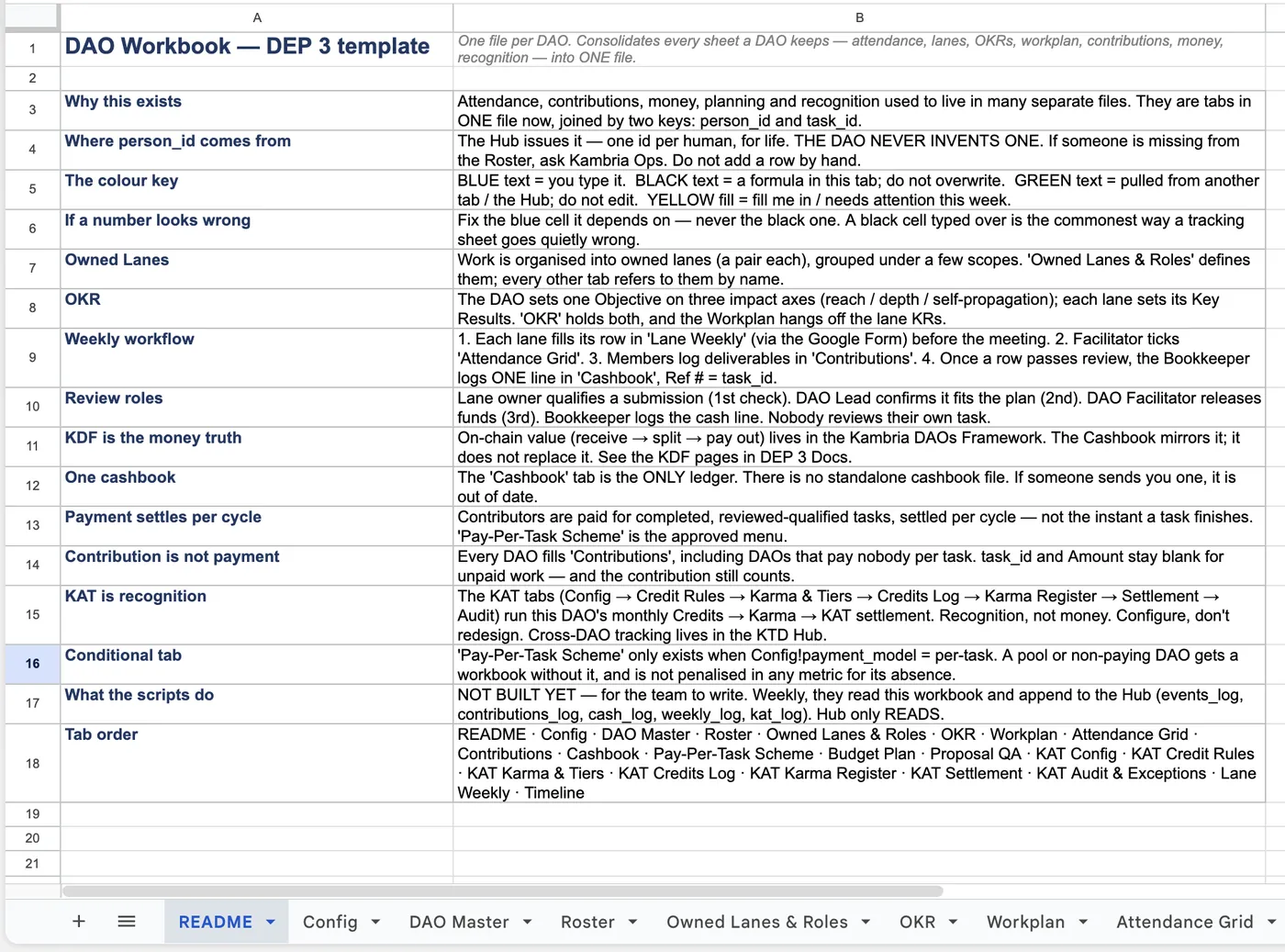
Screenshot: the README tab (principles + colour key). Source: the DAO Workbook template.
Pages in this part
- Setting Up: Config, DAO Master, RosterThree tabs get a DAO's Workbook ready before any work is tracked.
- Organising the Work: Lanes, Roles, OKRs, WorkplanFour tabs turn the DAO's plan into something trackable. The why behind them lives in the Owned Lanes Model and Measuring What Matters pages; these tabs are where you write it down.
- Tracking Participation & ContributionThree tabs record what actually happened each week.
- Money: Pay-Per-Task Scheme, Budget Plan, and the CashbookThree tabs handle the DAO's money off-chain: the Pay-Per-Task Scheme (what each task pays), the Budget Plan (how the $3,000 seed is allocated), and the Cashbook (what actually moved). Together they mirror what the…
- Recognition: the KAT TabsNot everything that matters is a paid task. Welcoming a new member, helping another lane, taking part in governance — the KAT tabs record these and turn them into standing, on the KAT Reward & Privilege Framework…
- Qualifying Reports: Proposal QAAt the end of a cycle a DAO's report is evaluated on the Proposal QA tab — a scored checklist adapted from DEP 1. It has two halves: a qualitative score out of 30 (basic information, execution, budget, outcomes,…
- Governance & Records: Voting Tracking and Inactivity & MisconductTwo tabs keep the DAO's governance decisions and its membership issues on the record.
- How the Workbook and the Framework Fit TogetherThe Workbook and the Kambria DAOs Framework do different jobs, and keeping them distinct is what keeps a DAO honest.