
DEP – Cohort 3
Join Discord
Why Join Discord?
The DAO Experimentation Program uses Discord as its main community workspace — where you’ll:
- Connect with your DAO team
- Work with your lane and follow DAO-wide updates
- Ask questions and get support
- Share progress, milestones, and completed work
- Receive official program announcements and updates
Every DEP 3 participant is expected to join and stay active in the Kambria Discord server throughout the program.
Step 1: Join the Server
Click here to join the official Kambria Discord server:
Once you have joined, open the #dep3-onboarding channel under the DEP 3 (DAO Experimentation Program) category.
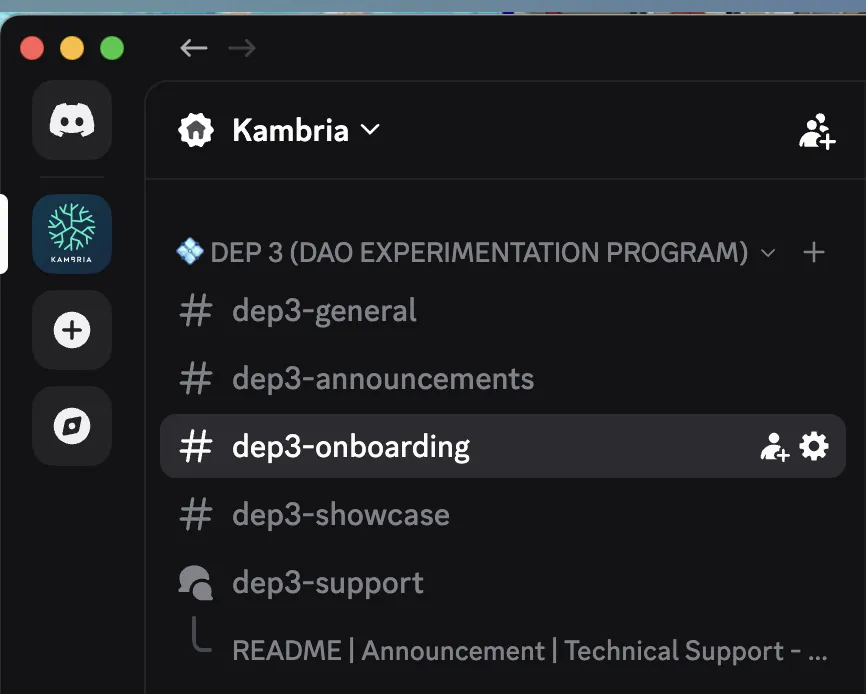
Step 2: Select Your Assigned DAO
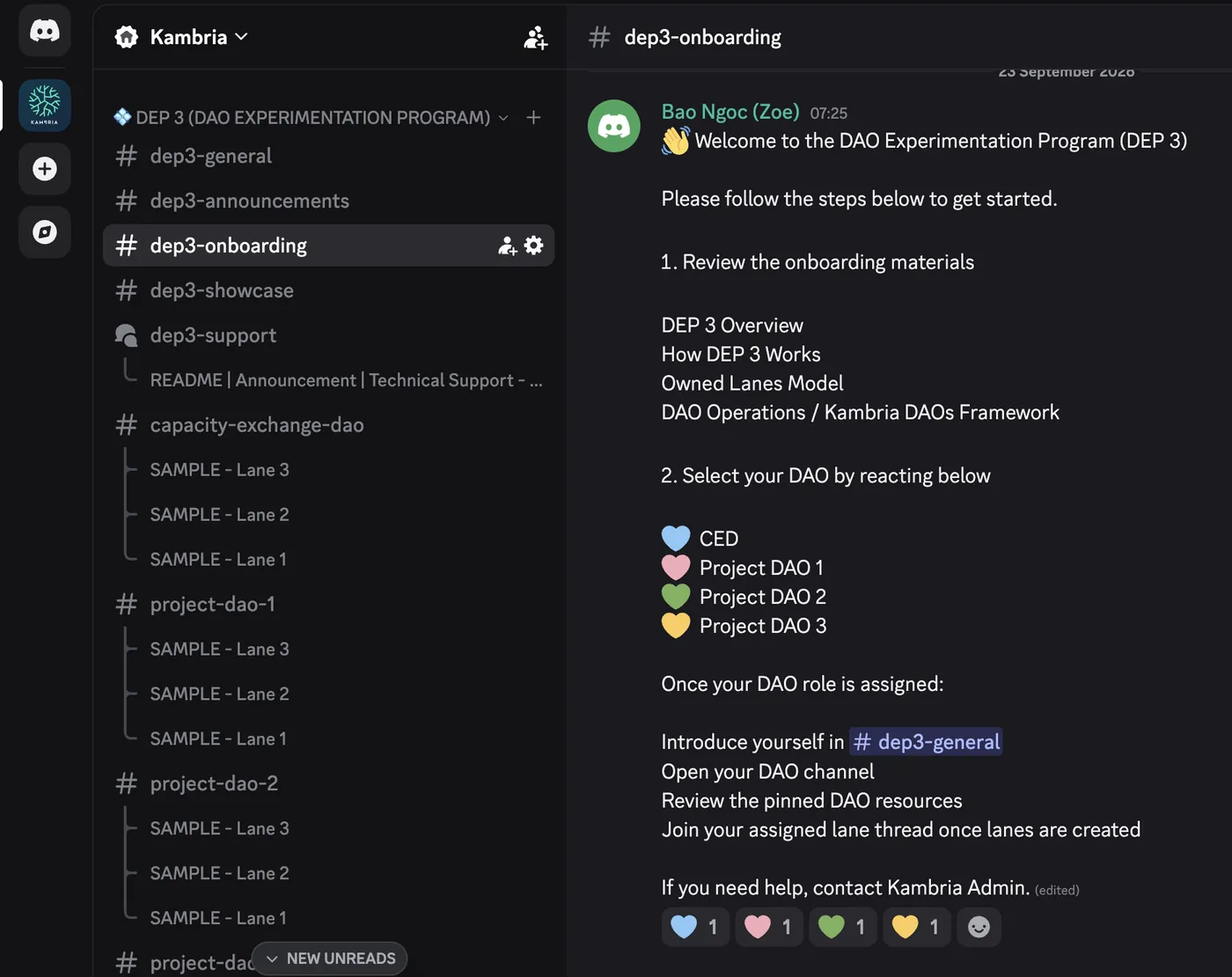
In #dep3-onboarding, find the pinned welcome message and react with the emoji for the Circles DAO [TBD: emoji and role name].
💙 Circles DAO [TBD: role name]
Please select the Circles DAO role only once your onboarding confirmation says you are a member.
The bot will automatically add the corresponding DAO role to your Discord account. This role allows you to:
- Post in your assigned DAO’s working channel
- Participate in your DAO’s lane threads
- Join the Circles DAO meeting room
All DEP 3 channels remain visible to the wider Kambria community for transparency, but only Circles DAO members can post in the DAO’s working space.
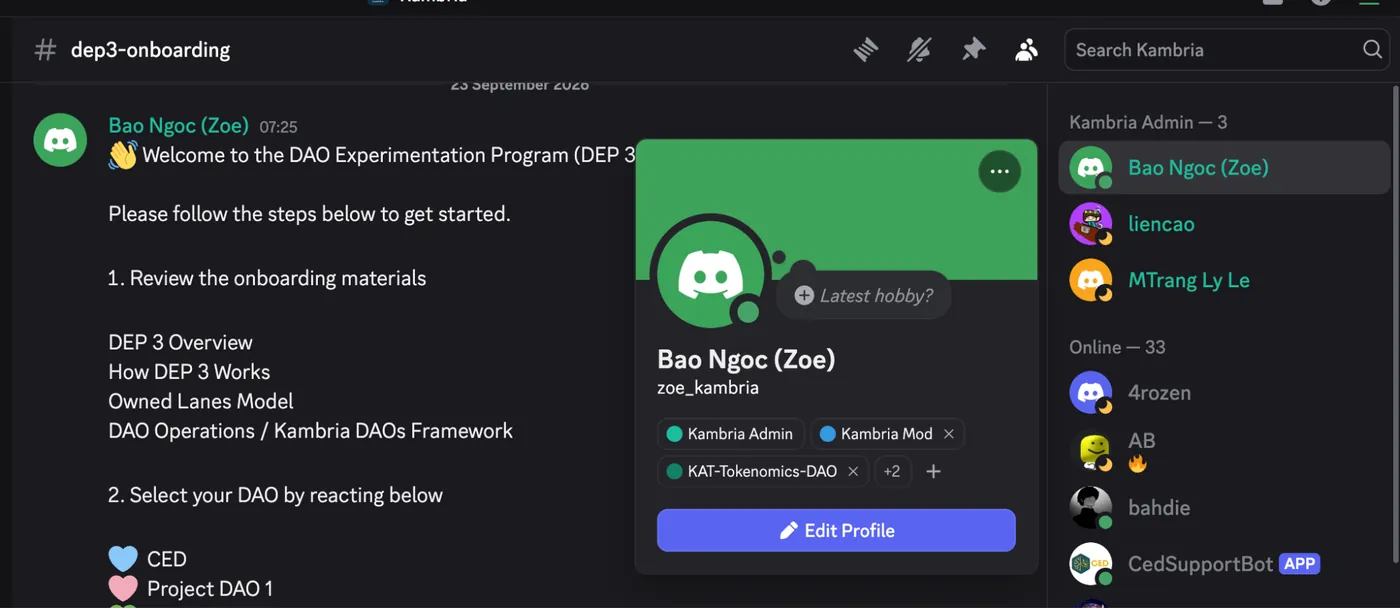
You can double-check your assigned role by opening your Discord profile and reviewing the roles listed under your account.
If your role was not assigned correctly, create a support post in #dep3-support.
Step 3: Get Started
Once your DAO role is assigned:
- You can introduce yourself in #dep3-general
- Open your DAO’s working channel
- Review the pinned messages and DAO resources
- Check the Lane Directory in your DAO channel
- Join your assigned lane thread once lanes are finalized
The Circles DAO channel is the shared space for DAO-wide updates, decisions, check-ins, and announcements.
Day-to-day execution happens in lane threads inside the DAO channel. Each lane has its own thread so that work stays focused and easy to follow.
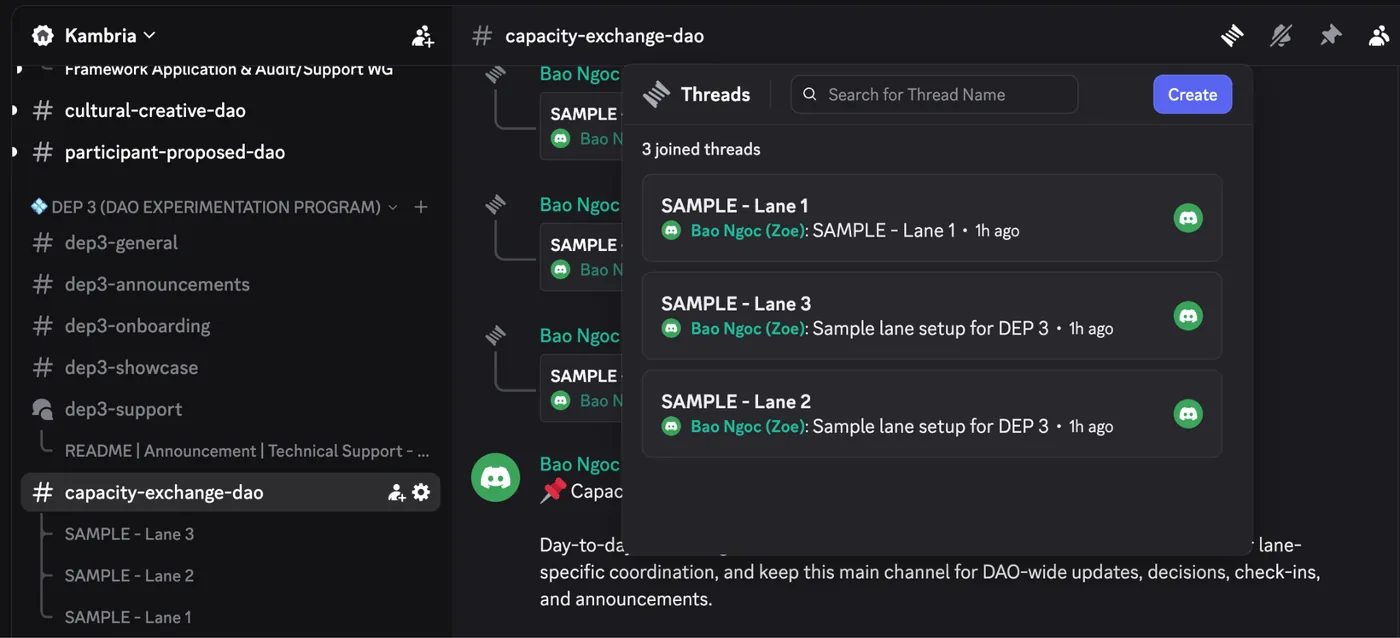
Discord Channel Overview
| Channel | Purpose |
|---|---|
| #dep3-announcements | Official DEP 3 program updates and important notices |
| #dep3-general | General questions, program-wide discussion, and community conversation |
| #dep3-onboarding | Onboarding instructions, role selection, and key getting-started resources |
| #dep3-showcase | Milestones, demos, completed work, stories, and achievements from across the cohort |
| #dep3-support | Searchable peer-support Forum for questions, troubleshooting, and issue escalation |
| #[TBD: Circles DAO channel name] | Working space for the Capacity Exchange DAO |
| #project-dao-1 | Working space for each selected participant-proposed DAO |
| #project-dao-2 | Working space for each selected participant-proposed DAO |
| #project-dao-3 | Working space for each selected participant-proposed DAO |
| Lane threads | Day-to-day work for each lane inside its DAO channel |
Having Trouble?
If you are unable to select your DAO role, post in your DAO channel, join a meeting room, or use one of the DEP 3 tools:
- Check the DEP 3 Documentation.
- Search #dep3-support to see whether the issue has already been answered.
- If you still need help, create a new post in #dep3-support.
- Select the most relevant issue tag and your DAO tag, if applicable.
- Include enough detail for others to understand the problem, including screenshots or videos where useful.
For account-specific or sensitive issues that should not be discussed publicly, contact the Kambria team directly.