
DEP – Cohort 3
Recognition: the KAT Tabs
Not everything that matters is a paid task. Welcoming a new member, helping another lane, taking part in governance — the KAT tabs record these and turn them into standing, on the KAT Reward & Privilege Framework 1.0. KAT is symbolic, non-financial, and non-tradable. The Circles DAO configures it — it doesn't redesign it. KAT is a secondary layer, outside the Kambria Circles website: there are no tokens on Circles, where contributors are thanked with lanterns.
The model runs in one direction, once a month:
Credits → Karma → KAT
- Credits record verified contribution (append-only, never revoked).
- Karma is a quality multiplier that weights the reward.
- KAT is the derived, capped recognition token that unlocks tiers and privileges.
Seven tabs run this, in order:
| Tab | What you do there |
|---|---|
| KAT Config | Set this DAO's parameters — KAT-per-Credit and the caps — each checked against the framework's ranges. |
| KAT Credit Rules | The contribution catalogue: what earns Credits, by stakeholder, with the verification each needs. |
| KAT Karma & Tiers | Reference tables — the Karma levels and multipliers, and the tier thresholds and privileges. |
| KAT Credits Log | Append-only ledger of verified contributions; each row's Credits fill in from the Rule ID. |
| KAT Karma Register | Each contributor's Karma level for the month; the multiplier fills in automatically. |
| KAT Settlement | The monthly calculation: Σ verified Credits × KAT-per-Credit × Karma, then per-user cap, then global cap, then cumulative KAT and tier. |
| KAT Audit & Exceptions | The pre-settlement checklist (any fail blocks settlement) and the log of corrections and disputes. |
To run a monthly settlement:
- Make sure the month's contributions are in the Credits Log and marked Verified.
- Set each contributor's level in the Karma Register.
- Open KAT Settlement — it reads the Credits Log, the Karma Register and Config and computes each person's KAT, their new cumulative total, and their tier.
- Run the Audit checklist. If it reads READY TO SETTLE, the month is done.
KAT adoption is tracked separately by [TBD: Kambria] in the Hub workbook — it links to the DAO's file and never writes into it. The KAT in DEP 3 page explains the model at a member's level.
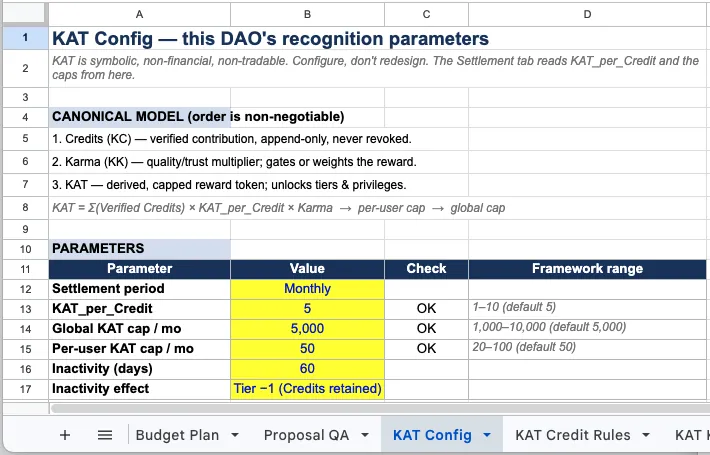
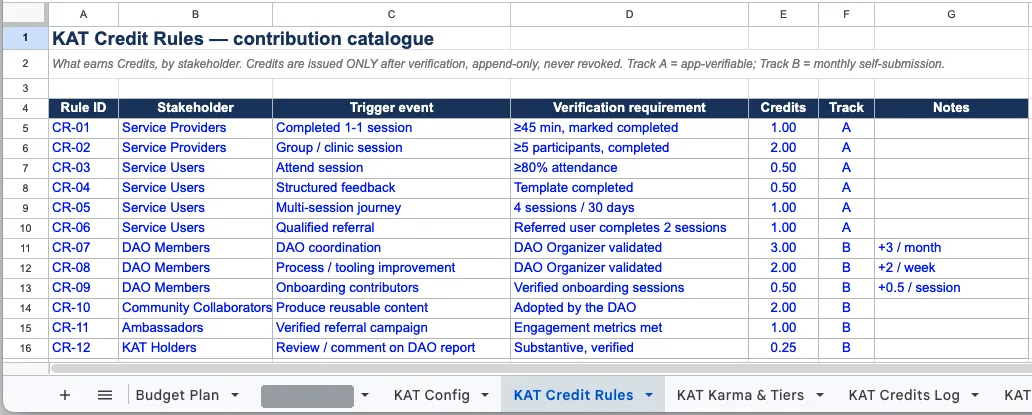
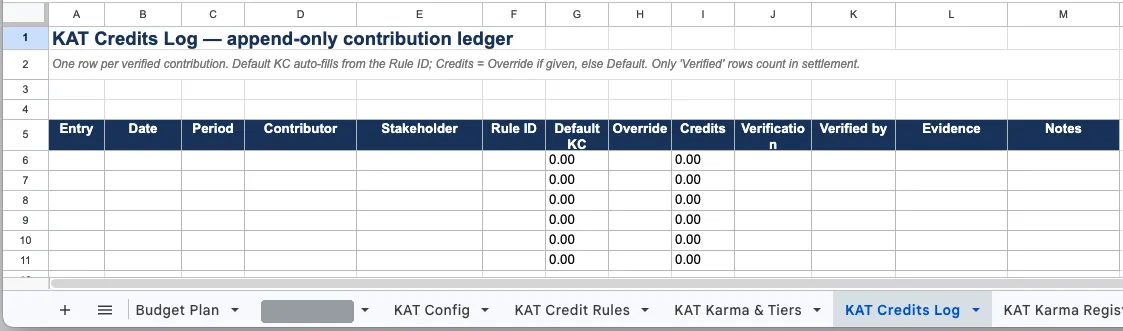
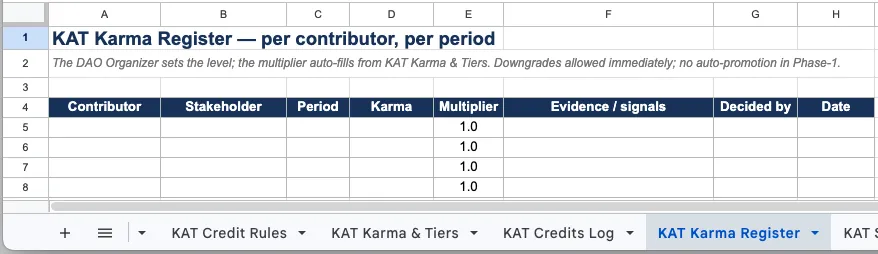
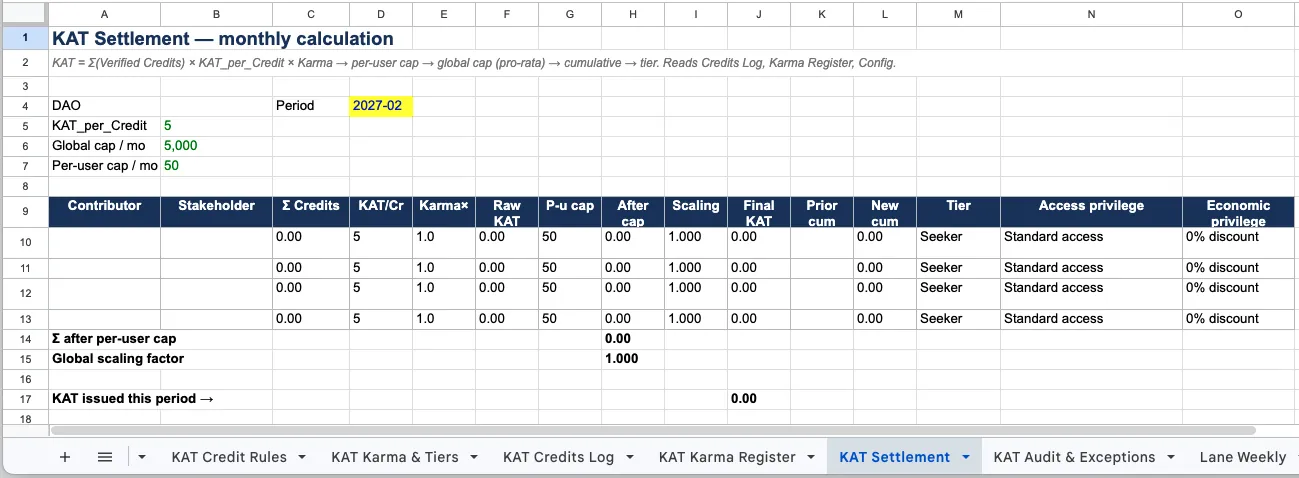
Screenshot sequence: KAT Config → Credit Rules → Credits Log → Karma Register → KAT Settlement. Source: the DAO Workbook template.